Keys
Press ? inside the TUI for this reference at any time.
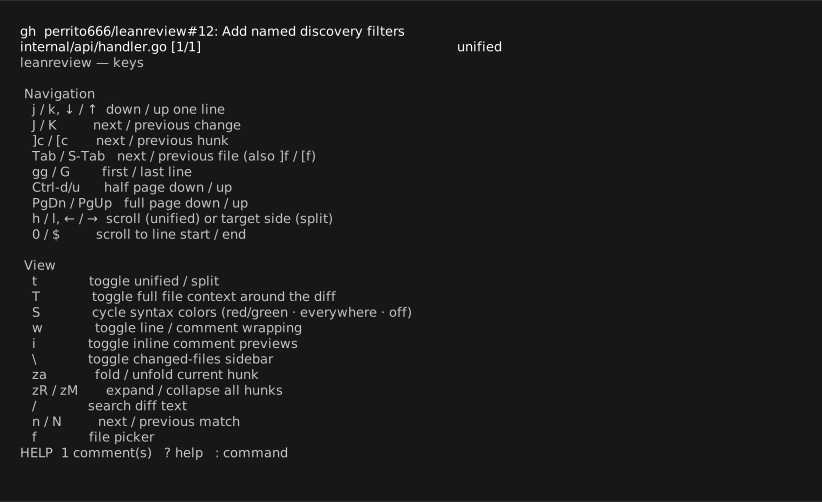
Navigation
| Key | Action |
|---|---|
j / k, ↓ / ↑ |
down / up a line (counts work: 3j) |
J / K |
next / previous change |
]c / [c |
next / previous hunk |
Tab / Shift-Tab, ]f / [f |
next / previous file |
gg / G |
first / last line |
Ctrl-d / Ctrl-u |
half page |
PgDn / PgUp |
full page |
h / l, ← / → |
scroll long lines (unified) / target side (split) |
0 / $ |
scroll to line start / end |
View
| Key | Action |
|---|---|
t |
toggle unified / split |
T |
toggle full-file context around the diff (lazy fetch, cached; ]c/[c still jump hunks) |
S |
cycle syntax coloring: red/green changes · syntax everywhere (tinted) · off |
w |
toggle wrapping of long lines and comment previews |
i |
toggle inline comment previews |
\ |
toggle changed-files sidebar |
za / zR / zM |
fold current hunk / expand all / collapse all |
/, n, N |
search diff text, next / previous match |
f |
file picker |
C |
comment list |
Enter |
open conversation (● line: edit/delete replies) / thread (◆ line), else comment list |
Review
| Key | Action |
|---|---|
v / V |
select lines / changed block |
c |
comment on line or selection (opens $EDITOR) |
R |
suggest a change — the editor opens with the selected code inside a ```suggestion fence; hosts render it applyable |
e |
edit draft comment under cursor |
x |
dismiss / restore comment under cursor (kept, never submitted) |
r |
reply to the comment under cursor (exchange conversations) or its thread (PR mode) |
I |
attach an image to the draft under cursor: a path prompt that validates the file and re-prompts on error; the image renders locally at once and uploads on submit (GitLab — GitHub's API has no upload endpoint) |
dd |
delete comment under cursor |
Pull-request mode
| Key | Action |
|---|---|
p (or :pr) |
PR details: title, description, link |
P |
general conversation: browse, reply, add (drafts post on submit) |
s |
submit review (confirmation screen) |
Commands
| Command | Action |
|---|---|
:w |
save drafts |
:export FILE |
export comments (.json: review exchange, else Markdown) |
:comment / :approve / :request |
open submission with that event |
:q / q |
quit |
Remapping
Single-key normal-mode bindings can be remapped via the keys map in the
configuration. An empty action unbinds a key; single keys
may bind two-key actions (next-hunk, delete-comment, …).
Two-key sequences (gg, ]c, …) are remapped via the sequences list —
objects rather than concatenated names, so sequences stay expressible on any
keyboard layout:
"sequences": [
  { "keys": [",", "c"], "action": "next-hunk" },
  { "keys": ["d", "d"], "action": "" }
]
An empty action removes a sequence. leanreview --check-config reports
overlaps: a sequence prefix shadows a single-key binding (the prefix wins),
and digits cannot start a binding — numeric count prefixes stay fixed.