Reviewing a GitHub pull request
Requires gh authenticated with gh auth login.
Enterprise hosts work through gh's own authentication.
Opening a pull request
leanreview 418                                   # infers owner/repo from origin
leanreview owner/repo#418
leanreview https://github.com/owner/repo/pull/418
leanreview fetches the PR's canonical diff through gh — the exact
representation GitHub anchors review comments to, so positions always match
what GitHub shows — plus the PR metadata and its existing review threads.
The title bar's first line shows a gh badge, the PR reference, and its
title.
The pull-request overlay
Press p (or :pr) for the pull-request details: title, author, branches,
URL, and the description rendered as styled Markdown. j/k scroll,
esc/p closes.
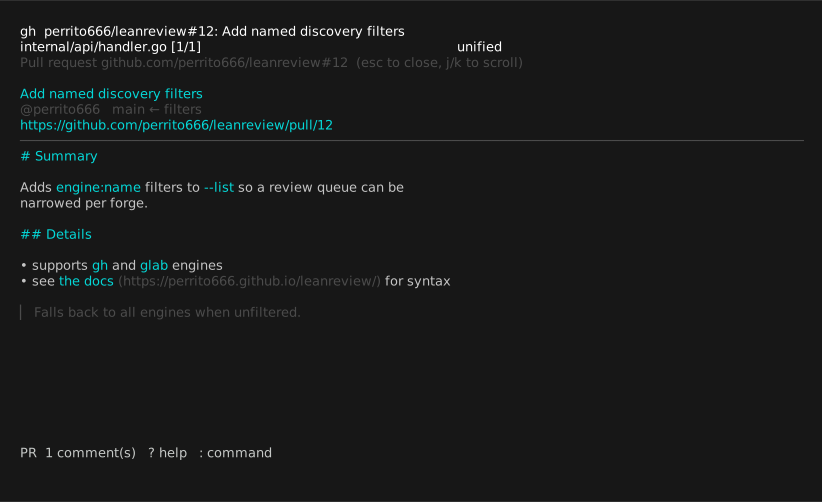
Below the description, the overlay lists the PR's conversation — the general comments that anchor to the request rather than to a line — oldest first, with authors and timestamps. Images attached to the description or to conversation comments render right in the overlay.
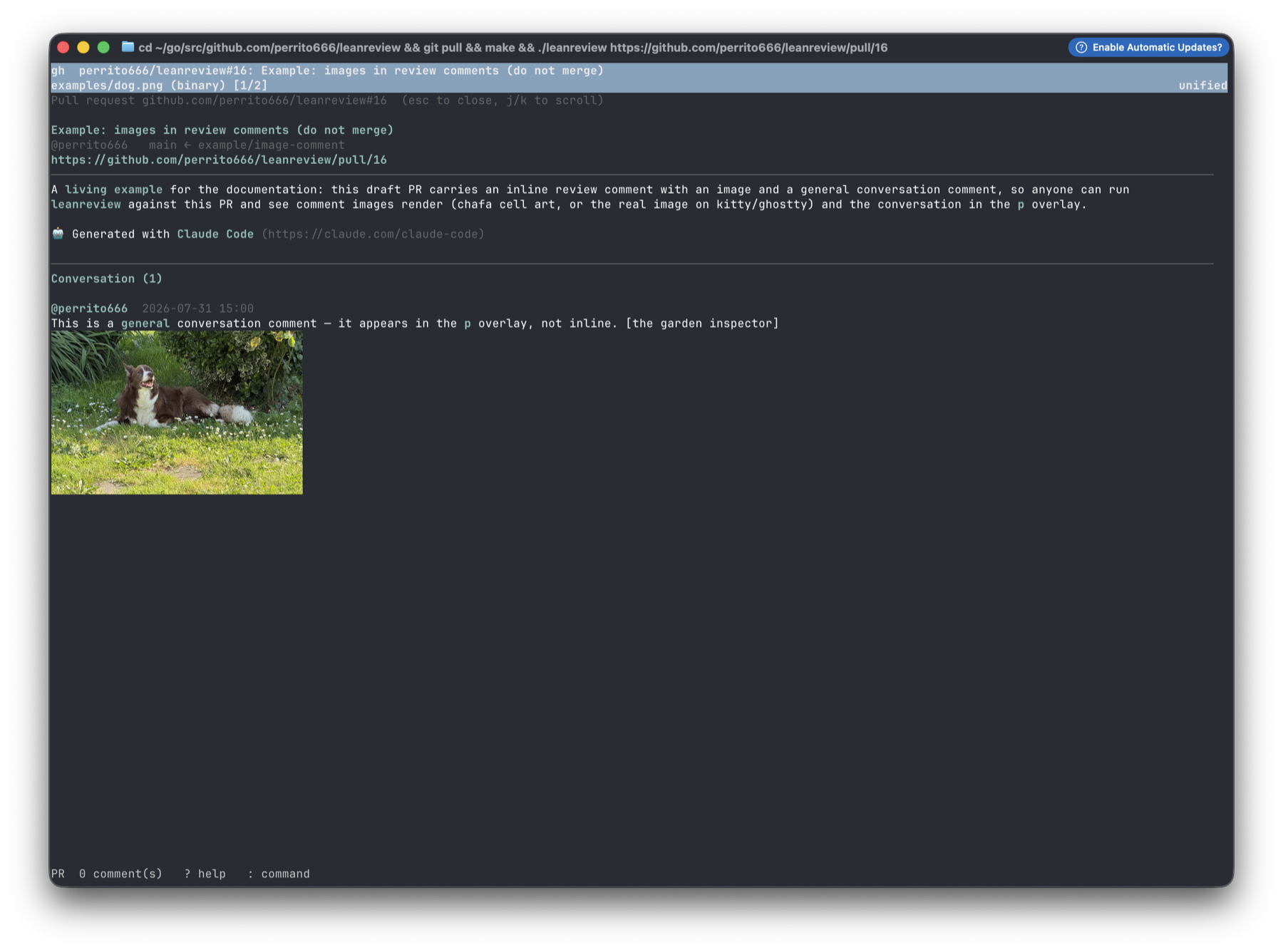
A general conversation comment carrying a photo, drawn in the overlay on ghostty via the kitty graphics protocol.
The general conversation
P opens the conversation as its own screen: j/k select a comment,
r/Enter reply, a adds a fresh general comment. Both forges'
conversations are flat, so a reply is a new comment prefilled with a
Markdown quote of what it answers. Everything you write is staged as a
draft — marked (draft — posts on submit), editable with e and deletable
with d — and posts when you submit the review.
On the submission screen, g writes the review summary — the general
comment attached to the review itself (the review body on GitHub, the
leading note on GitLab).
Image attachments
I attaches a local image to a draft, and it renders in the TUI right
away — but GitHub's REST API has no attachment-upload endpoint, so
submission on GitHub refuses drafts carrying local images: remove them
or reference an already-hosted URL. On GitLab they upload
automatically (see the GitLab workflow).
Threads and replies
Existing review threads appear as ◆ markers in the gutter, with the root
comment previewed inline. On a marked line:
Enteropens the full thread (root, replies, resolved/outdated flags).rdrafts a reply in your editor. Replies are staged as drafts and posted when you submit.
C lists your drafts and, below them, every existing thread.
Submitting
s (or :comment / :approve / :request) opens the submission screen:
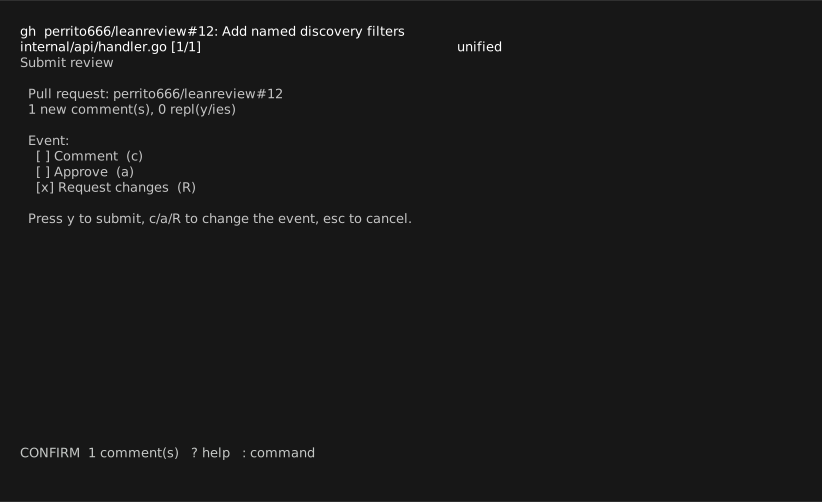
Pick the event with c/a/R, then y submits. All draft line comments go
up as one atomic review; staged replies are posted to their threads
afterwards. Nothing is ever sent before this confirmation.
If a reply fails after the review was created, everything already accepted by GitHub is cleared from your drafts — retrying submits only what is still pending, never a duplicate review.
When the PR head moves
If new commits land between your sessions, saved drafts are re-anchored to the new diff by matching each comment's captured surrounding context (following renames), relocating only on a unique match. Comments that cannot be placed are marked orphaned, excluded from submission, and kept for you to reposition — see Concepts.