Reviewing without a forge
This is leanreview's foundation workflow: no host, no account, no network — just a diff and your notes. Everything the forge modes add (threads, submission) layers on top of it, so everything here applies to those modes too.
Opening a diff
Any of these puts you in the same review TUI:
leanreview change.diff          # a patch file
git diff | leanreview -         # stdin
leanreview .                    # working tree vs HEAD (also: no argument)
leanreview --staged             # index vs HEAD
leanreview --base main          # main...HEAD (merge-base comparison)
leanreview HEAD~3 HEAD          # explicit revision range
-U/--context controls the number of unified context lines (default 3,
configurable).
Navigating
j/k move by line, J/K jump between changes, ]c/[c between hunks,
and Tab/Shift-Tab (or ]f/[f) between files. t toggles unified ↔
split layout, \ toggles the changed-files sidebar, za folds a hunk,
/ searches the diff text.
The title bar always shows the review title on its first line and the current file, position, and layout on the second.
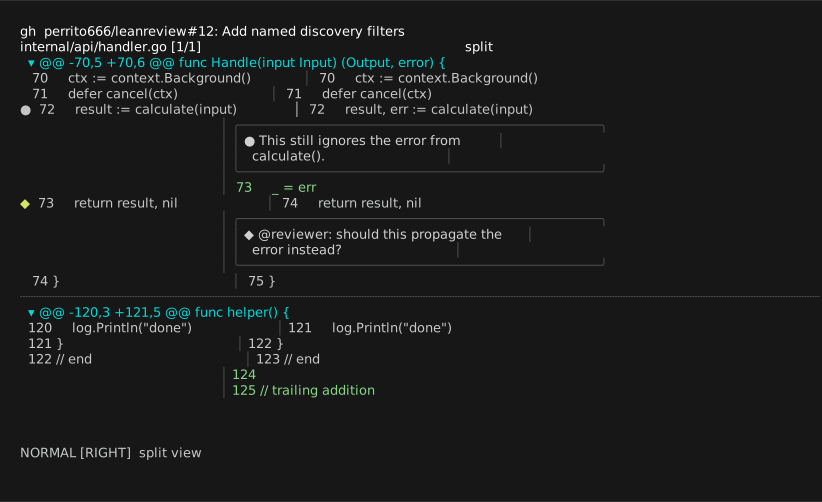
Split layout: deletions styled on the left panel, additions on the right, and a draft comment boxed over the right panel.
Full-file context
T re-frames the unified view as the whole file with the diff overlaid:
hunk lines stay highlighted (and commentable) while the surrounding lines
fill in, and ]c/[c keep jumping between hunks with the view centered on
your line. Content is fetched only when first requested (from git — or from
the forge in PR mode), cached on disk keyed by content identity, and the
cache is cleaned by age and size at startup. Inside the full file, each hunk is
bracketed — a faint rule plus its @@ header where it begins, a rule
where it ends — so the reviewed excerpt's extent stays obvious. T again
returns to the diff-only view, where a faint rule marks each hunk boundary.
Commenting
Press c on a line — or v to select a range (V grabs the whole changed
block), then c. Your $EDITOR opens with a Markdown template; write the
note, save, quit. The comment becomes a draft: the line gets a ● in the
left gutter and the note is previewed inline in a bordered box right under it
(i hides/shows the previews). e edits it, dd deletes it.
In split layout, h/l choose which side of a paired change you are
commenting on — the status bar shows [LEFT]/[RIGHT].
R instead suggests a change, GitHub-style: the editor opens with the
selected lines pre-filled inside a ```suggestion fence — edit the
block into your proposed replacement. Suggestions render distinctly in the
thread box (a label plus green code lines) and submit as natively applyable
suggestions on GitHub (GitLab's ranged fence form is produced automatically
for multi-line selections).
A selection must map onto one continuous range on one side; cross-side selections are rejected before the editor opens.
All comments and threads on a line share one containing box, ordered
oldest first, so the discussion reads as a single thread. Markdown image
references in comment bodies render inline — kitty graphics on
kitty/ghostty, chafa cell art elsewhere (see the images
setting). In PR/MR mode, comment
attachments — including GitHub's HTML <img> embeds — are fetched through
the forge's authentication and cached; other remote URLs stay as tags.
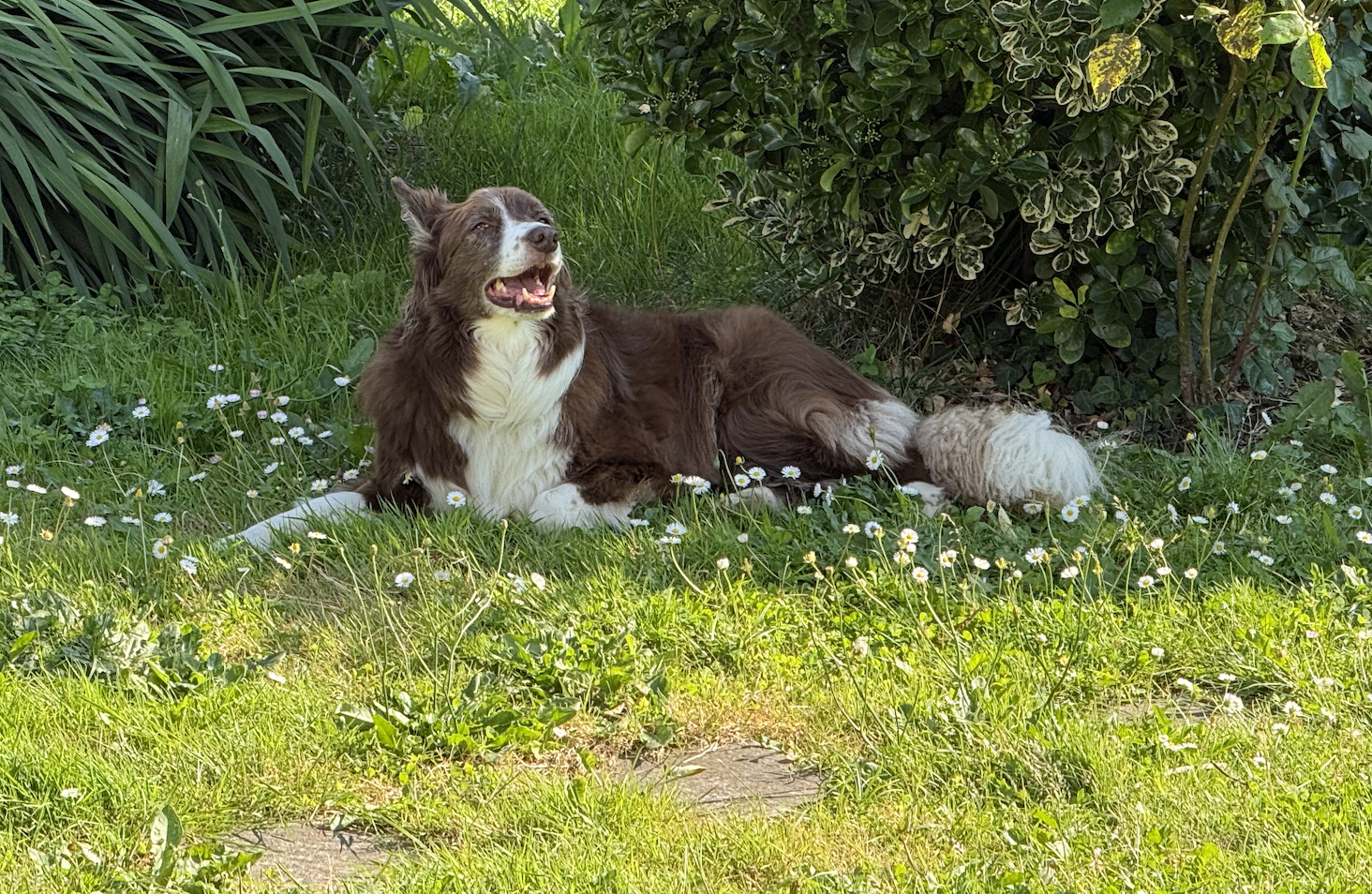
An image referenced from a review comment…
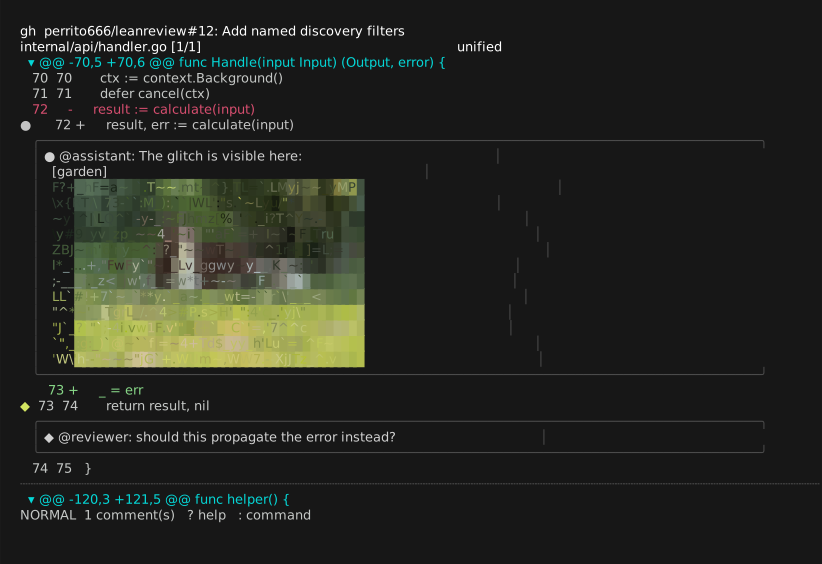
…and the thread box rendering it as cell art via chafa.
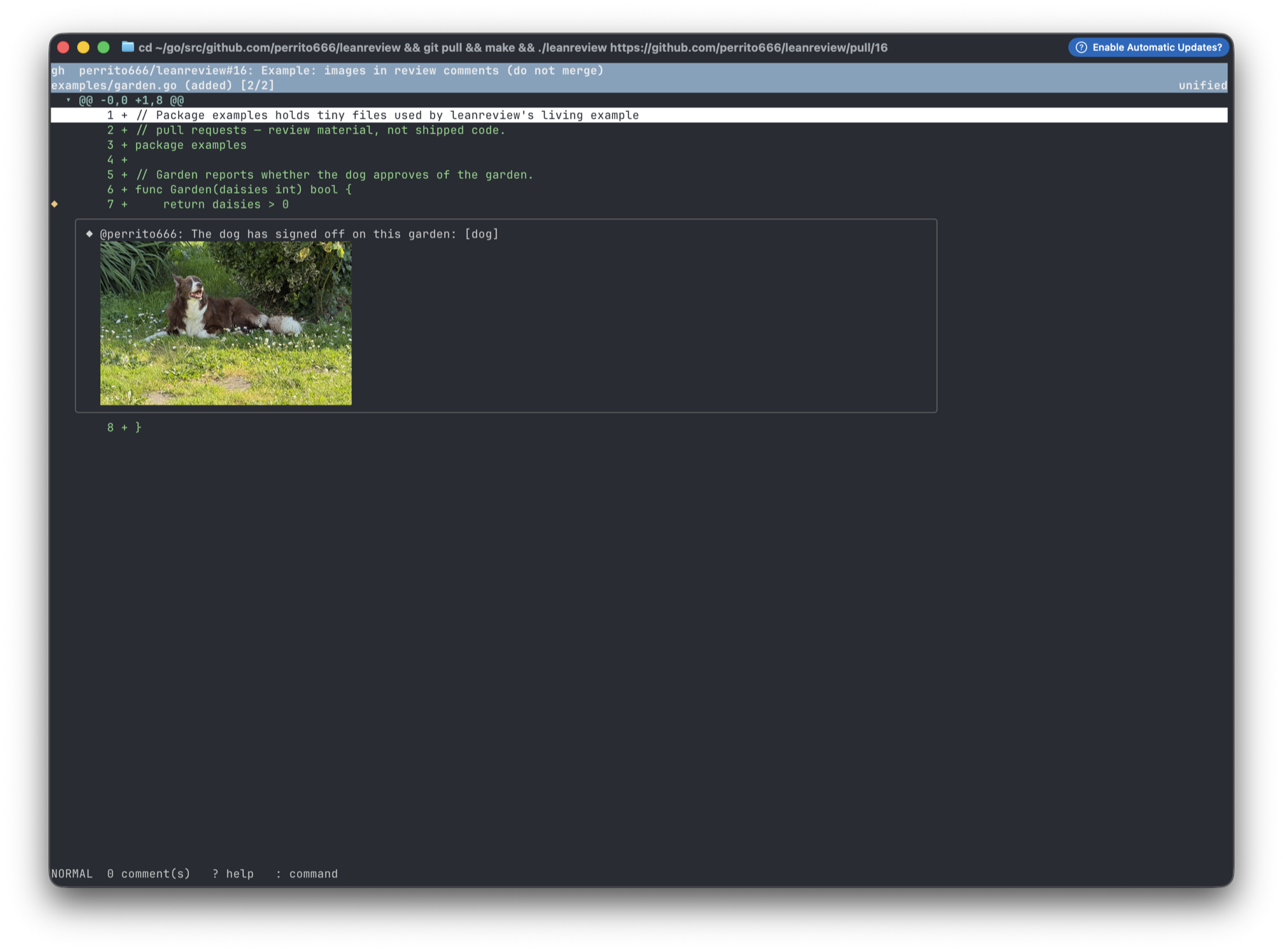
The same comment on ghostty: the kitty graphics protocol draws the real photo inside the thread box.
Reviewing your notes
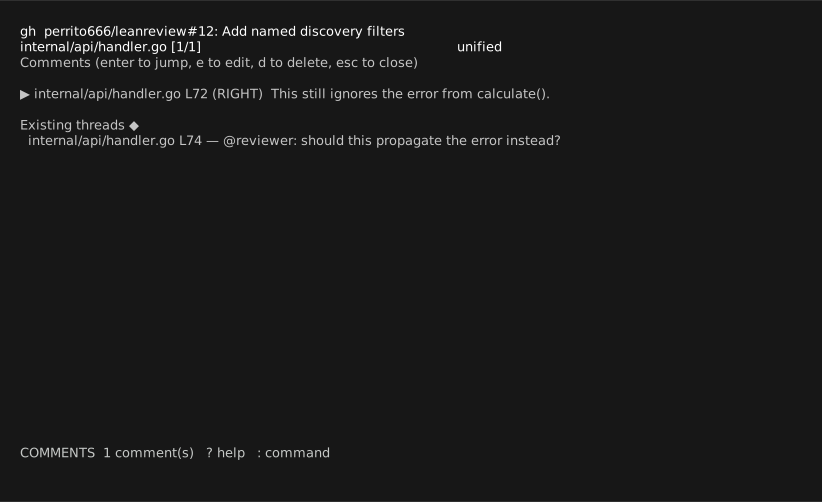
C lists every draft; Enter jumps to one, e edits, d deletes.
Exporting
:export notes.md — or non-interactively leanreview --export notes.md
change.diff — writes Markdown grouped by file, with the commented snippet
quoted above each note:
## internal/api/handler.go

### L72 (RIGHT)
```go
result, err := calculate(input)
```
> This still ignores the error from calculate().
This output is designed to be pasted straight back into an AI prompt as review feedback, or into a plain-text review email.
Draft persistence
Drafts save automatically (:w forces a save; quitting saves too) and reload
the next time you open the same source — each source has a stable
identity key (see Concepts). leanreview --discard <target>
deletes the saved draft for a source.